Vacation approvals & guest requests
Turn on Vacation Approval so Scheduler and Guest bookings wait in gray until you approve them, and let guests book directly.
Older videos say "Owner" where the site now says "Scheduler". Same role, new name.
How it works
Two families want the same week in August. Without approvals, whoever clicks first wins. With Vacation Approval switched on, every vacation a Scheduler or Guest adds starts as a request, and the Administrator decides. A vacation moves through three states:
- Pending. Shown in gray on the calendar. It holds the dates so everyone can see the request, but nothing is confirmed.
- Approved. Shown in the submitter's chosen color. The "New Vacation added" email goes to the Changes to calendar distribution list at this point, not before.
- Rejected. Removed from the calendar. The person who asked gets an email saying so.
Administrator vacations never need approval. If you only want approvals during peak season, switch the setting on in spring and off in autumn; existing vacations are not affected.
Turning approvals on
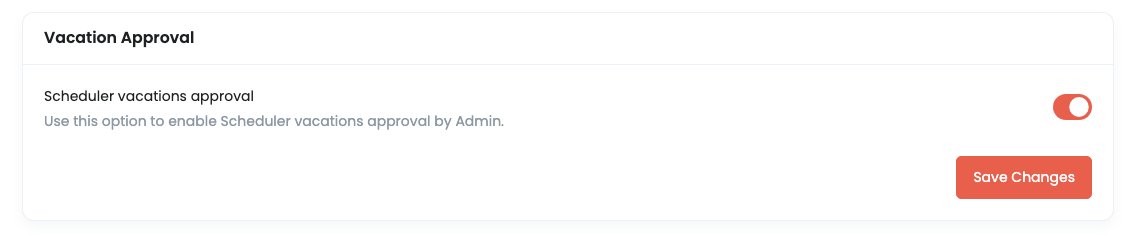
- Go to Admin → Settings → Calendar Settings.
- Find the Vacation Approval card and switch on Scheduler vacations approval.
- Press Save Changes.
- Go to Settings → Notifications and put your own email on the Vacation approval distribution list. Administrators are not emailed automatically.
Reviewing requests
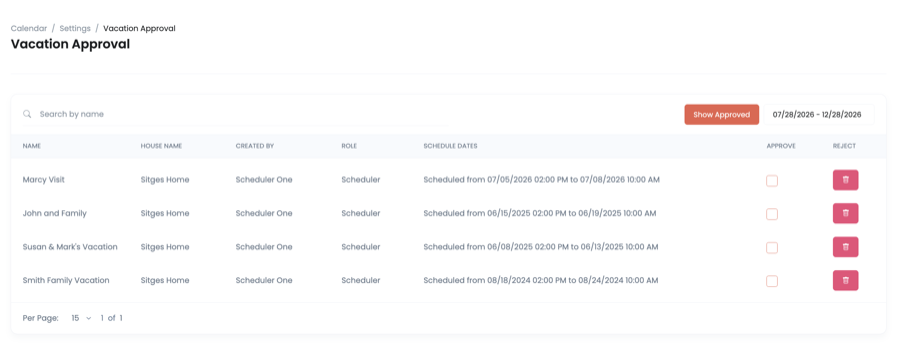
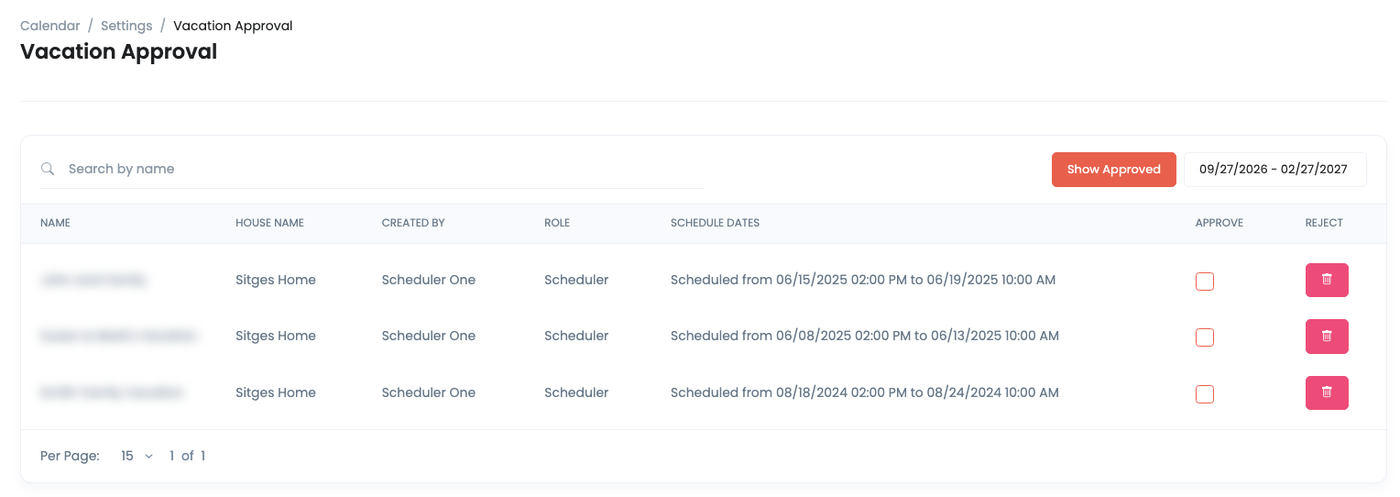
Open Admin → Settings → Vacation Approval. The list shows every request with who asked and the dates. Use the Show Approved / Show Unapproved switch to see either list, and search by name if the list is long.
- Approve confirms the vacation and colors it in on the calendar.
- Reject removes it and emails the person who asked.
- Un Approve sends an approved vacation back to pending if plans change.
Pair approvals with the overlap rule "Allow unapproved vacations to overlap". Both families can ask for the same week, and you settle it with one click.
Letting guests book directly
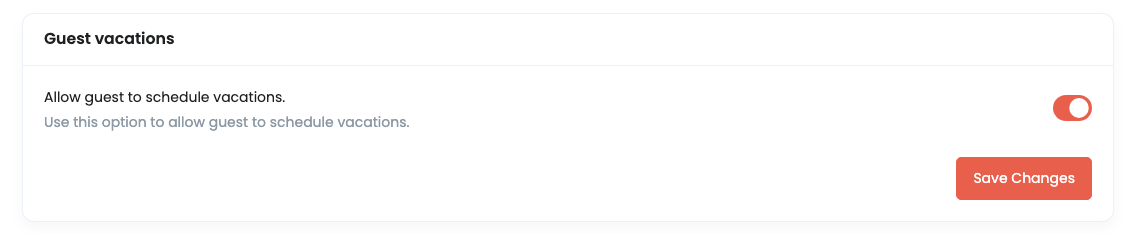
Normally a Guest can only send a Request to Use House email from the calendar. If you switch on Allow guest to schedule vacations. in Calendar Settings, a Guest can add a vacation themselves: they click a date, enter a vacation name plus their own name and email, and the vacation appears in gray.
Guest vacations always wait for your approval, whatever your other settings, and cannot book rooms. When you approve, the guest gets an email, and so does the Changes to calendar list.
Common questions
Related topics
Still stuck?
Send us a note with your house name and a real person will answer. Short video walkthroughs are on our YouTube playlist.


