Local guide
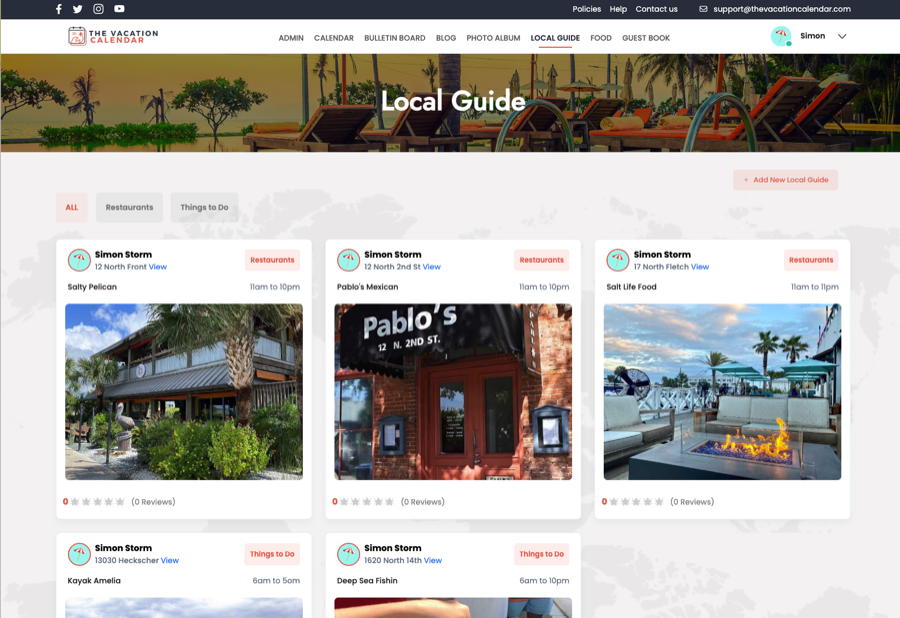
Build your own guidebook of restaurants, activities and services around the house, with maps, hours, ratings and comments.
Older videos say "Owner" where the site now says "Scheduler". Same role, new name.
What to include
Every family that shares a house has a guidebook already. It lives in one person's head, and it gets recited down the phone every time somebody new arrives: the good taco place, the one to avoid on a Friday, the hardware store that opens early, the kayak rental that does not mind children.
The local guide is that knowledge written down once, with a map, so the next visitor does not have to call anyone. And because it is your family's guide rather than a review site's, it can say the things a review site will not, such as which of the two ice cream shops is actually worth the line.
Good entries to start with:
- The three restaurants you always go to, plus the one you send people to when those are full.
- The grocery store you use, and the better one that is twenty minutes further.
- A rainy day, because every stay has one.
- The plumber, the electrician and the handyman who already know the house.
- How people get there — the airport worth flying into, the ferry schedule, the taxi firm that answers.
Administrators and Schedulers add entries. Everyone logged in, Guests included, can read them and leave a rating.
Categories
The tabs across the top of the local guide come from categories, and a new house starts with four of them already made for you:
| Category | What goes in it |
|---|---|
| Food & Drink | Restaurants, cafes, the brewery, the farm stand, the bakery that sells out by nine. |
| Things to Do | Beaches, trails, the mini golf, the museum, the boat rental, the Saturday market. |
| Services | Grocery store, pharmacy, hardware store, plumber, cleaner, vet, urgent care. |
| Transportation | Airports, ferries, car rental, taxis, where the free parking is. |
Those four are a starting point rather than a rule. An Administrator can rename them, delete the ones your house has no use for and add new ones, at Admin → Settings → Categories with Select Type set to LocalGuide. A ski house might turn Transportation into Rentals and Lifts; a beach house might rename Food & Drink to Restaurants. Whatever you end up with becomes the filter tabs on the page.
It is the same screen that holds the categories for the blog and the bulletin board, under the Blog and Bulletins types, so it is worth setting all three up in one sitting. Full details are in House settings.
Adding an entry
- Open Local Guide from the top menu and press + Add New Local Guide.
- Choose the Category.
- Type the Title, which is the name of the place as people say it out loud.
- Start typing the Address and pick the right one from the suggestions. The address comes from Google, so the entry gets a working map and directions from it.
- Fill in the Hours. "11am to 10pm, closed Mondays" is exactly the detail people need at six o'clock on a Monday.
- Write the Description. This is the part worth spending a minute on: what to order, whether to book, whether it is worth the drive.
- Add an image. A photo of the front of the building helps people recognize it from the road.
- Press Add Local Guide.
Saving sends a message to everyone on the New local guide item distribution list, so the family hears about the new place you found. See Notifications & emails for who is on that list.
Add the entry while you are still in the parking lot. Take the photo, type three sentences and be done. Guides written from memory in February are shorter and less useful.
Ratings and comments
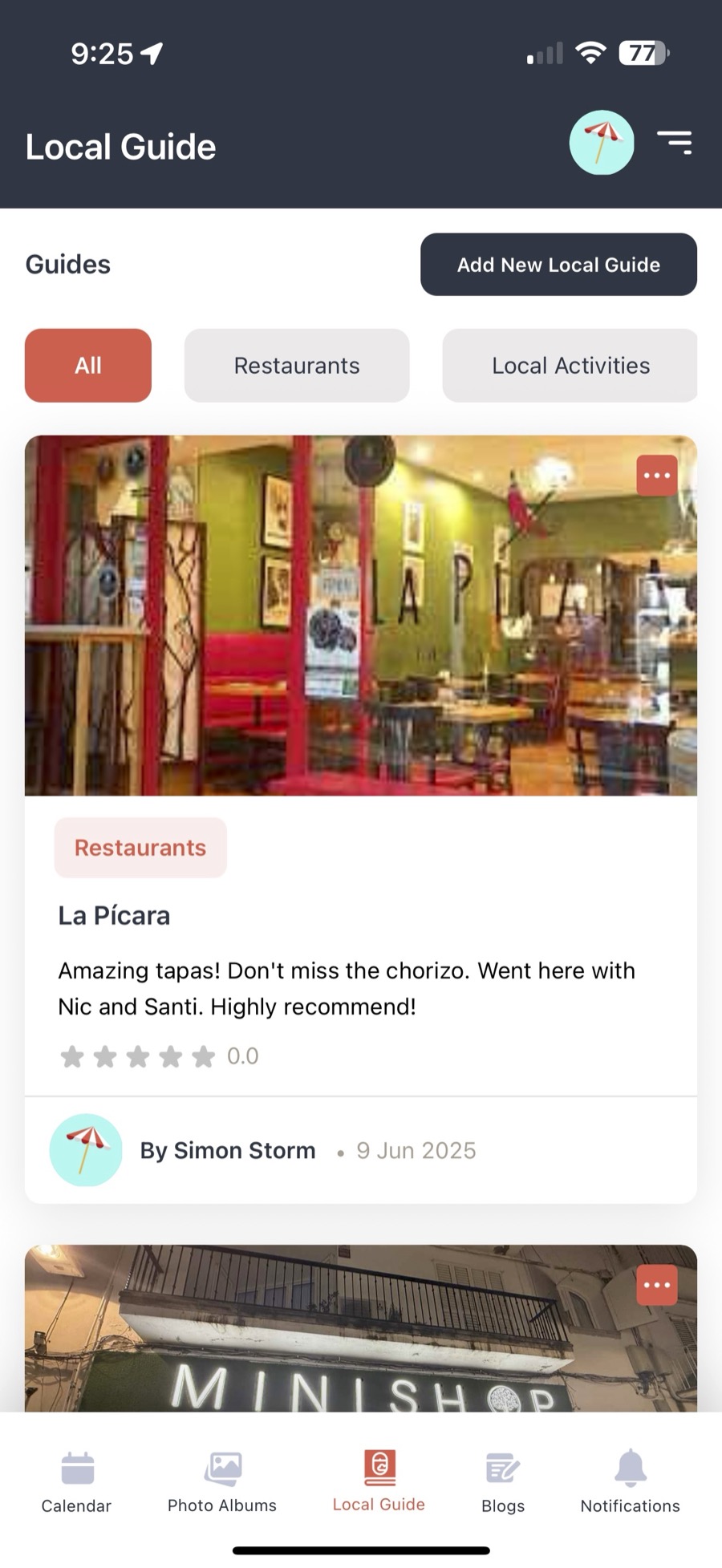
Anyone logged in can review a place, Guests included. Open the entry, give it a star rating and write whatever you want to add. The star rating is required, the words are optional, and the card shows the average rating and the number of reviews.
This is where the guide gets good. One person's opinion of a restaurant is a suggestion; five family members agreeing it has gone downhill is information. Encourage people to review as they go, even briefly, because "great tapas, order the chorizo" is worth more to the next visitor than any number of stars on their own.
Editing and deleting
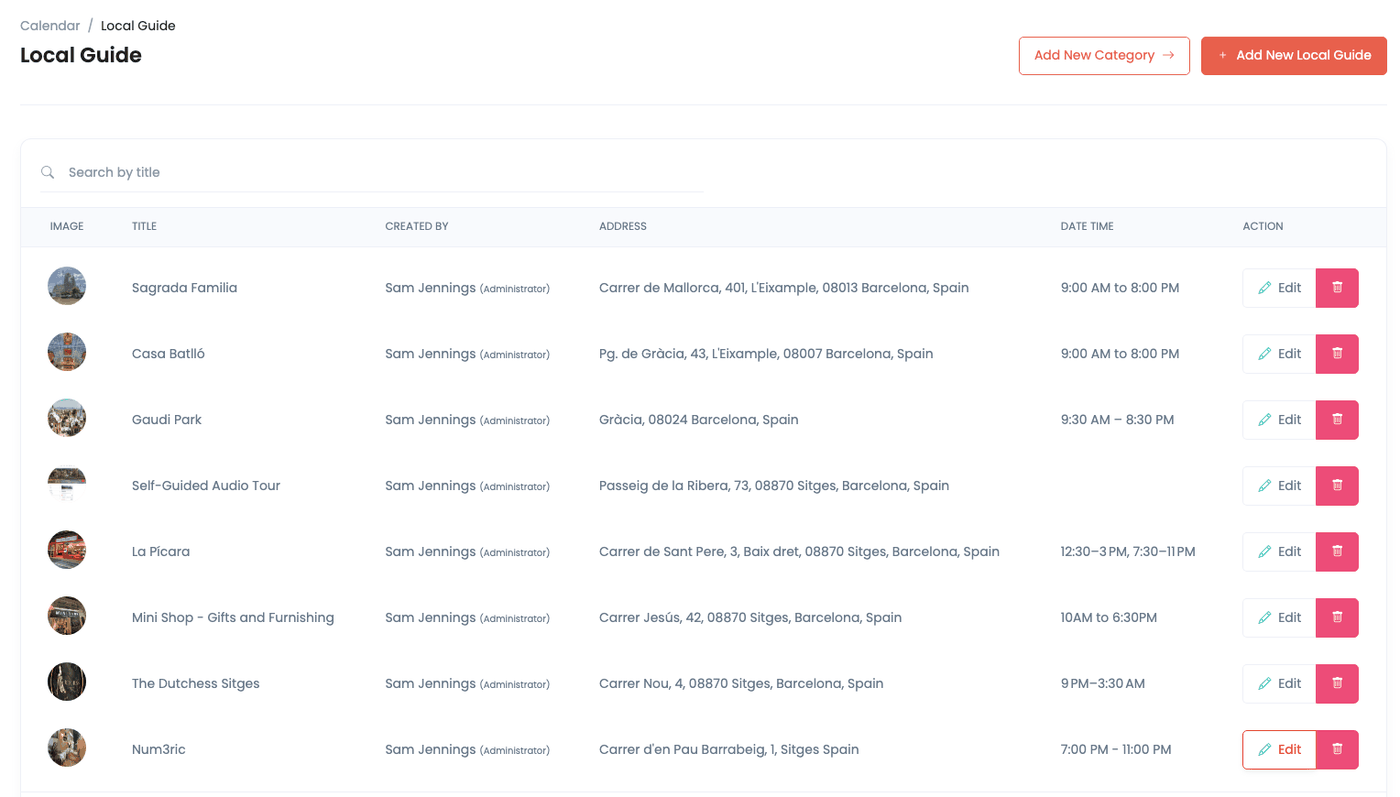
- Schedulers edit and delete the entries they added.
- Administrators edit and delete any entry, and can remove any review.
Guides go stale faster than anything else on the site. Places close, hours change over the winter and the good chef moves on. The easiest habit is to read the guide once each spring before the season starts: fix the hours, delete the places that have closed, and let the entries that are still right stand.
If a place has genuinely gone downhill, editing the description is usually better than deleting the entry. "Under new management since 2025 and not what it was" saves the next person a disappointing evening, which a missing entry does not.
Common questions
Related topics
Still stuck?
Send us a note with your house name and a real person will answer. Short video walkthroughs are on our YouTube playlist.


