Calendar import & exportNEW
Pull Airbnb and VRBO bookings into the house calendar with iCal, and subscribe to the house calendar from Google, Apple or Outlook.
Importing Airbnb, VRBO and other calendars
If you rent the house out, you have been living with two calendars: the family one here, and whatever Airbnb or VRBO says. That is how a cousin ends up driving four hours to a house with strangers in it.
Import fixes it. Give the site the link to your rental calendar and those bookings appear right there on the house calendar, alongside the family's weeks.
- On the calendar, click Import External Calendar. Administrators and Schedulers both have it.
- Give the feed a Name you will recognize later, such as Airbnb or VRBO.
- Paste the URL. Links beginning
http,httpsorwebcalall work. - Pick a color for the feed, or keep the default, a rental-red
#FF5A5F. - Save.
Where to find the link:
- Airbnb: Listing → Availability → Sync calendars → Export.
- VRBO: Calendar → Import/Export.
- Anything else that offers an iCal or ICS subscription link: cleaning services, property managers, another calendar app entirely. If it hands you a link, the site will read it.
The feed syncs the moment you save it, so you can see right away that you pasted the right link, and after that it refreshes itself roughly every hour. Nobody has to remember to do anything.
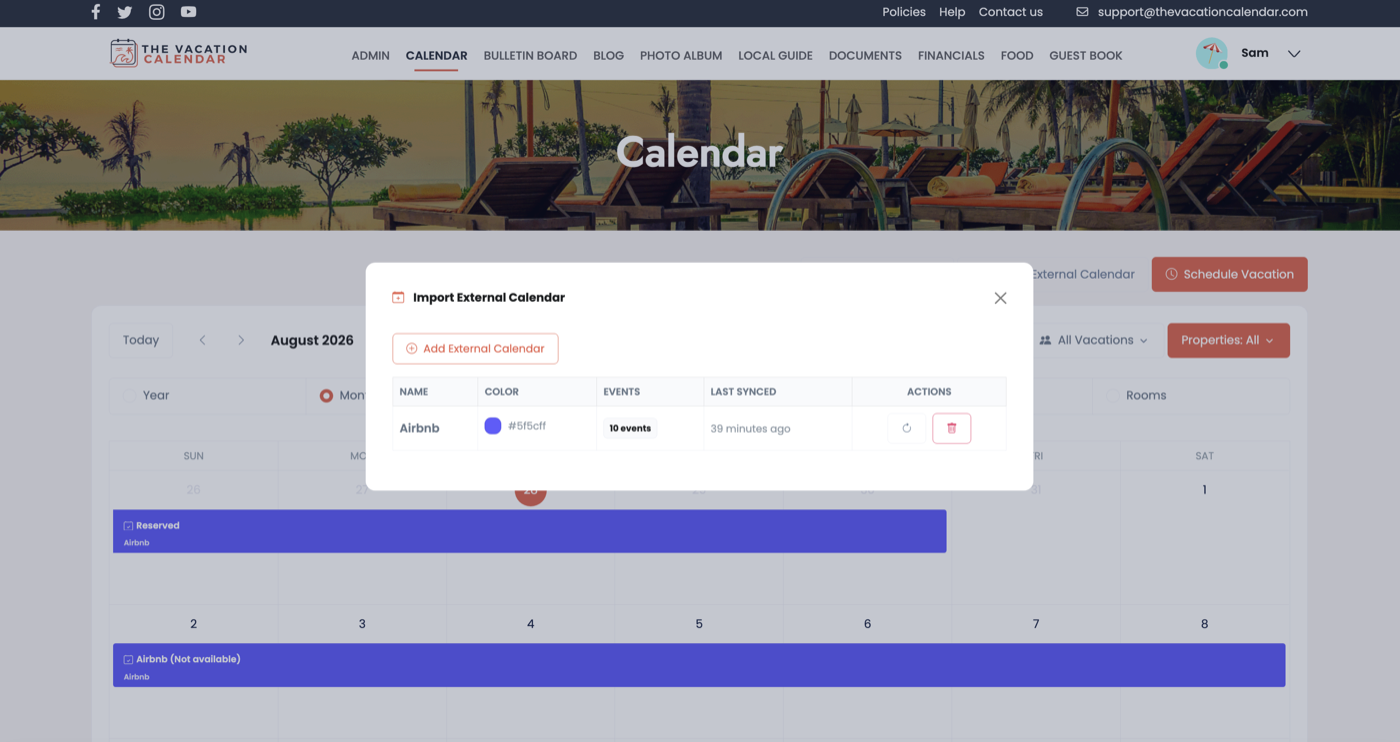
They come from the other site, so you cannot edit or delete them here; change them where they live and the next sync catches up. They are not vacations either: they need no approval and they stay out of your usage reports, which is exactly what you want when you are measuring family use.
Managing feeds
Under the calendar sits a small legend, one line per feed, showing each feed's name in its own color. It is the key to the calendar: two seconds of looking tells you that the block in July is a rental rather than your brother-in-law.
From the same place you can:
- Edit a feed to rename it, change its color or replace the URL.
- Sync now, when you have just taken a booking and do not feel like waiting for the hourly refresh.
- Delete a feed, which removes its events from the calendar and leaves everything else untouched.
Add as many feeds as you have listings. The site will not let you add the same URL twice, which saves you from the classic mistake of importing Airbnb twice and wondering why every booking looks doubled.
Give each feed a color nobody in the family uses for their own vacations. Rentals should look different at a glance, not like one more cousin.
If a feed stops updating, a common cause is that the link was regenerated at the other end. Copy the export link again and paste it into the feed with Edit.
Adding the house calendar to your own calendar
Now the other direction. Most people do not want to visit a website to find out when they are going to the lake; they want it in the calendar already on their phone.
On the calendar, click Add to your Calendar. You get a personal subscription link to the house calendar. Copy it, then feed it to whichever calendar you use:
| Calendar | Where to paste the link |
|---|---|
| Google Calendar | Other calendars → From URL |
| Apple Calendar | File → New Calendar Subscription |
| Outlook | Add calendar → Subscribe from web |
From then on the family's vacations show up beside your dentist appointments and the kids' soccer games, on every device that calendar syncs to. It is a subscription rather than a copy, so when somebody changes a booking on the house calendar, your phone follows along.
How quickly it follows along is up to Google, Apple or Microsoft, not up to us. Those apps refresh subscribed calendars on their own schedule, which can be anything from minutes to most of a day. If you need this minute's truth, open the house calendar itself, or the mobile app.
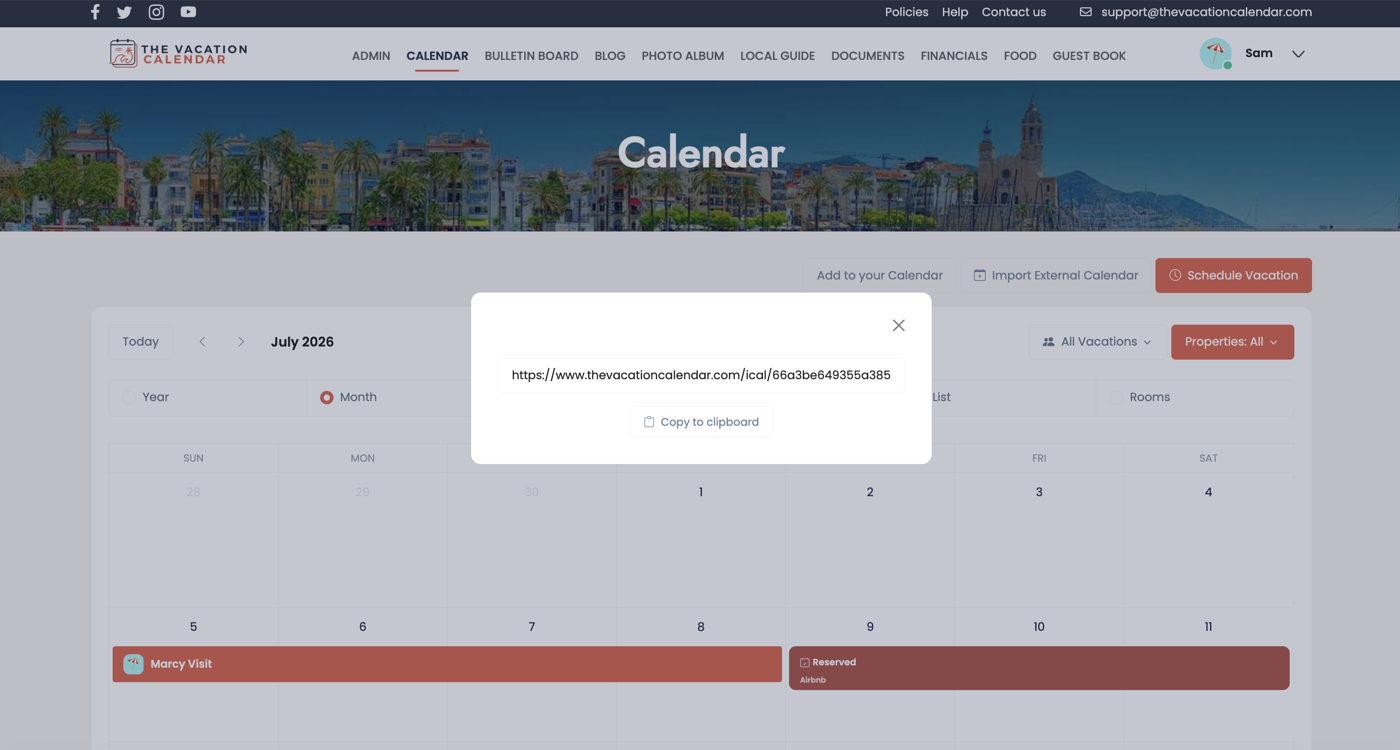
Send the link around to the family and you have solved the oldest problem in shared houses, which is not booking but remembering. See also Calendar views & filters for reading the calendar here, and Scheduling a vacation for putting things on it.
Common questions
Related topics
Still stuck?
Send us a note with your house name and a real person will answer. Short video walkthroughs are on our YouTube playlist.


