Food & shopping lists
Track what is in the pantry and fridge and what to bring next time, so nobody arrives to three jars of mustard and no bread.
Two lists
Every shared house ends up with the same pantry shelf: five bottles of soy sauce, four half-used jars of mustard, and no coffee. It happens because each family arrives, cannot remember what is there, buys everything, and leaves the surplus behind for the next family to be confused by.
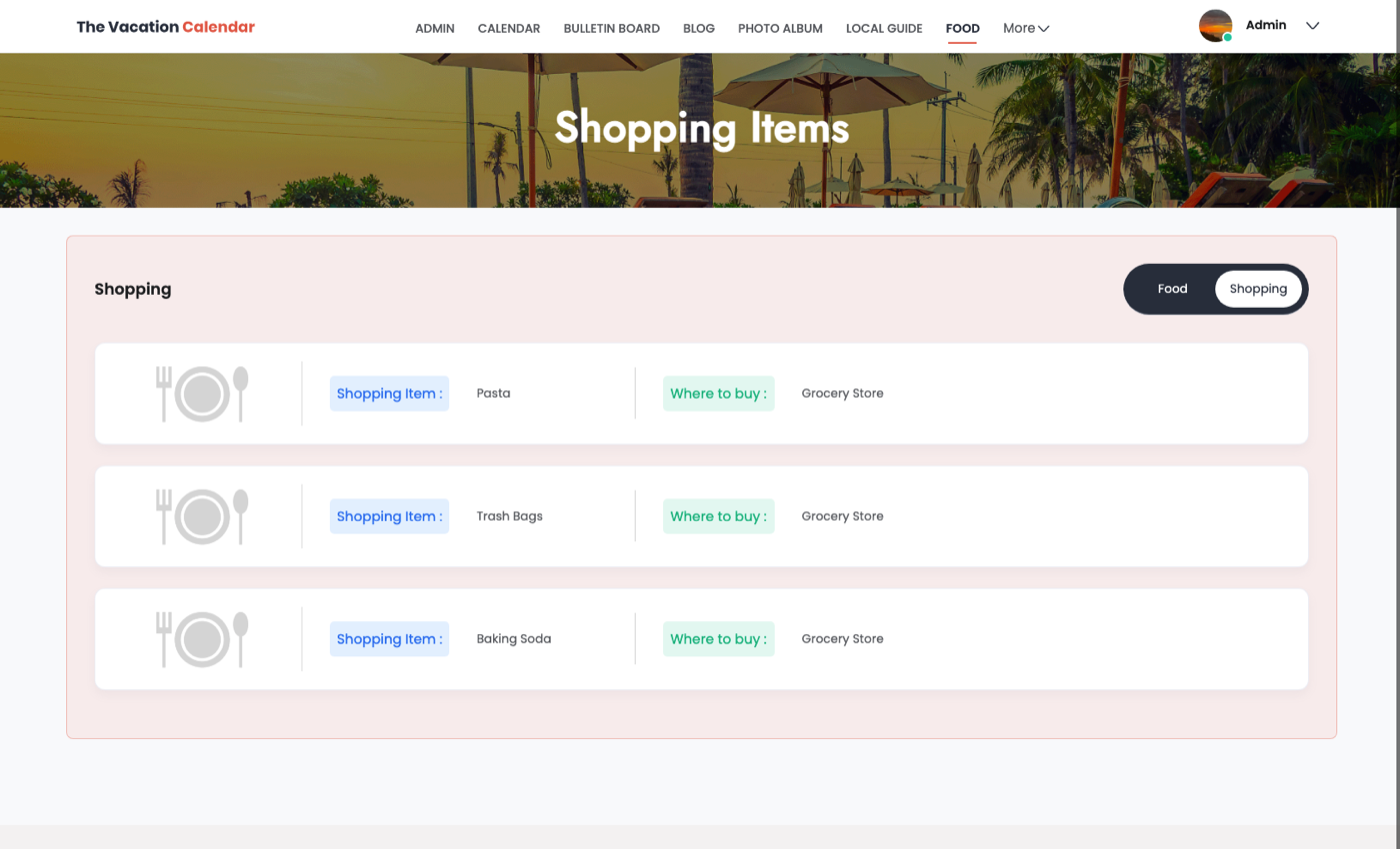
Two lists fix it. Open FOOD in the top menu and you land on a page with a switch between them:
- Food in the house — what is actually in the pantry, the fridge and the freezer right now, and when it expires.
- Food Shopping List — what is missing and needs buying, with a note of where to buy it.
The two work as a pair. You read the first before you leave home so you know what not to buy, and you read the second on the way, because it is the running note of everything the last four visits ran out of.
Administrators and Schedulers add and edit items. Guests can read both lists, which is exactly right: they should be able to see the spare paper towels rather than buying more.
Food in the house
This is the inventory of what is already at the house. It is most useful for the things that keep: canned goods, pasta, oil, spices, the flour, whatever is in the freezer, plus the non-food staples like trash bags and dish soap that everyone forgets about until the moment they are needed.
- Open FOOD and make sure you are looking at the food list rather than the shopping list.
- Press Add New Food Item.
- Type the name. This is the only field you have to fill in.
- Say where it is: the pantry, the fridge, the freezer, the garage shelf. In a big house this saves more time than the rest of the list put together.
- Add the expiry date from the label, if there is one.
- Add a photo of the jar or the packet. It sounds excessive until somebody is standing in a store wondering whether "the good olive oil" is the green bottle or the other one.
- Press Add Food Item.
Adding an item emails everyone on the New food items distribution list, so the family can keep half an eye on the pantry from home. If that turns out to be more news than anyone wants, an Administrator can trim the list under Notifications & emails.
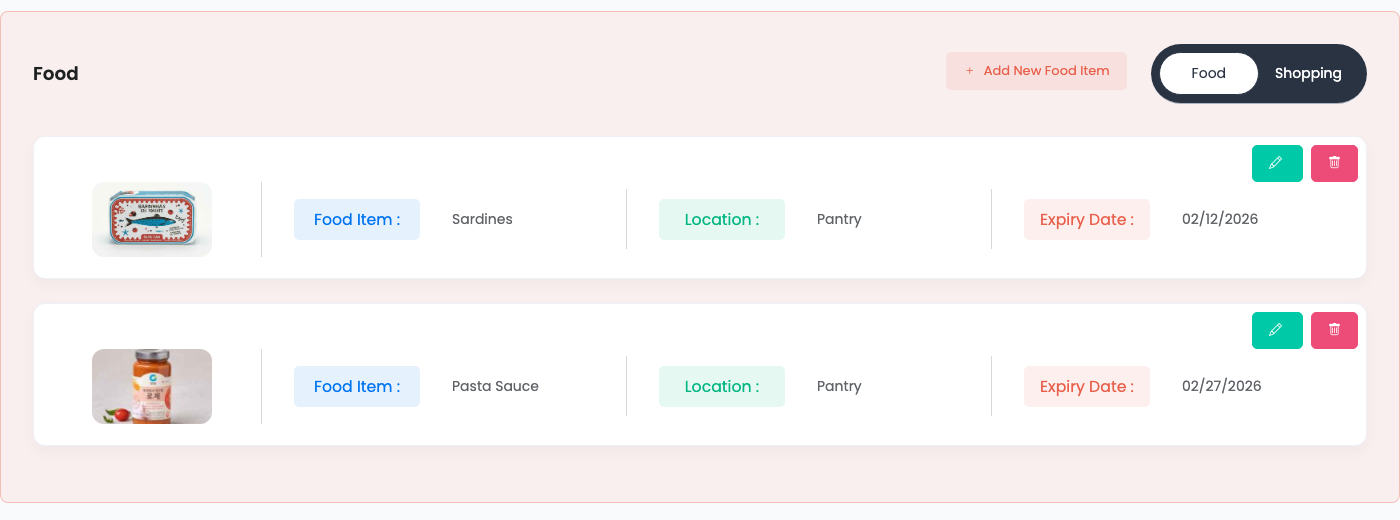
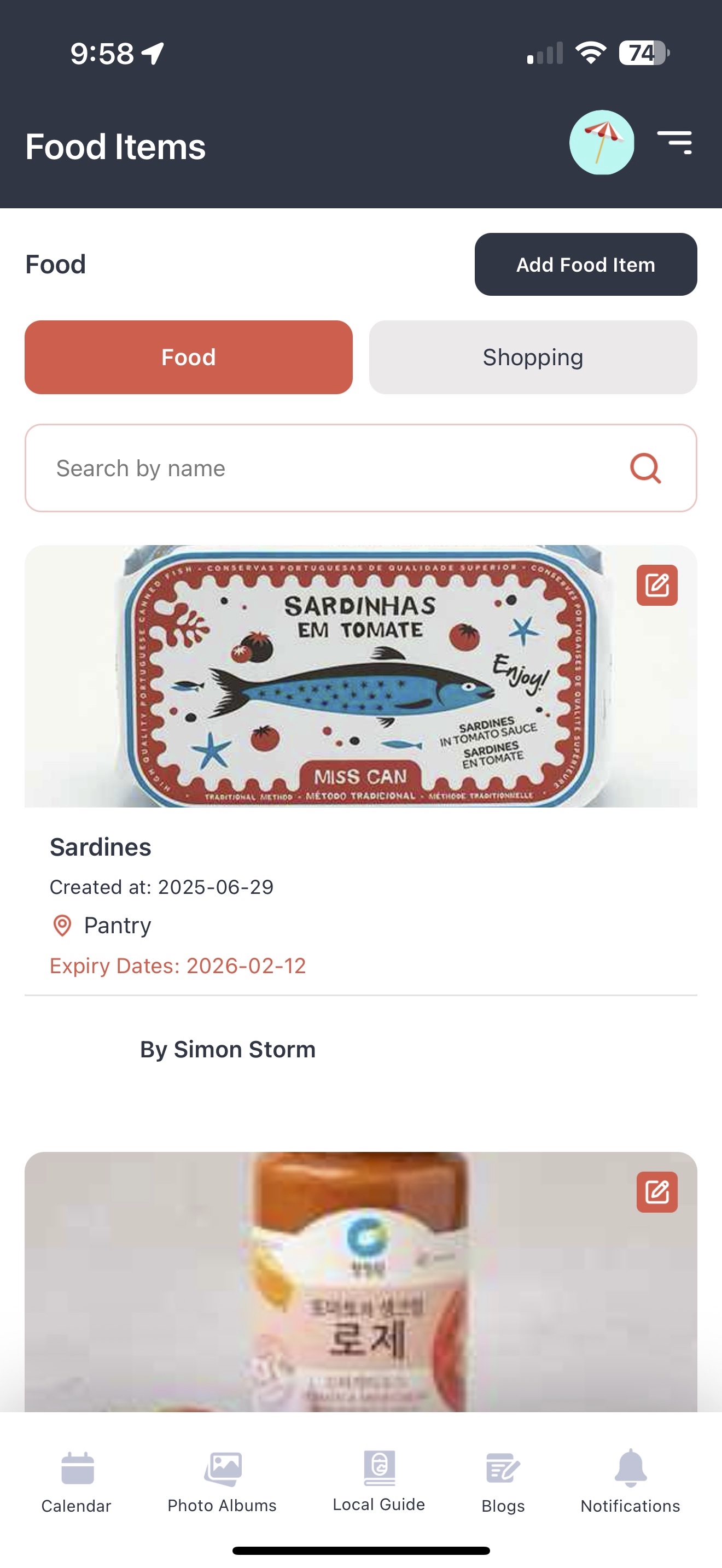
A house that stands empty for months is a museum of things that expired in silence. Filling in the date takes two seconds and means the first person back can throw out the casualties instead of discovering them in a sauce.
The shopping list
Flip the switch to the shopping list and you have the family's running note of what the house needs. Add an item with its name and where to buy it, and press Add Shopping Item.
The "where to buy" note is the part that makes this list better than a text message. "Charcoal — hardware store on Main, the grocery store never has it" turns a wasted half hour into a five-minute stop. Use it for the local knowledge: which store carries the good coffee, which one opens on Sundays, what has to be ordered ahead.
It works best if everyone adds to it the moment something runs out, rather than at the end of the week when it has been forgotten. The last person out of the house should not be the only one keeping score.
Anything that is a chore rather than a purchase — the filter that needs changing, the bulb that blew — does not belong on either list. Tell an Administrator, or write it up on the house blog, which emails the post to everyone on the blog list so that somebody actually hears about it. And if you paid for the groceries and the house is splitting costs, put the receipt in Financials while you still have it in your hand.
The ten-minute checkout habit
All of this only works if somebody updates it, so make it part of leaving rather than a separate chore. Ten minutes on the last morning, while the car is being loaded:
- Open the fridge and the pantry. Delete what you finished, add what you brought and left behind.
- Check the dates. Anything that will not survive until the next visit goes in the trash now, not in three months.
- Write down what ran out. Onto the shopping list right then, with where to buy it.
- Add the staples you noticed missing. Foil, trash bags, dish soap, coffee filters.
Do it on your phone with the cabinet doors open and it is genuinely ten minutes. The mobile app has both lists, which is the easiest way to work through the kitchen without walking back to a laptop.
The family that keeps this habit arrives to a house where the staples are already there, and nobody spends the first afternoon of their vacation in a supermarket. That is the entire argument for the feature.
Common questions
Related topics
Still stuck?
Send us a note with your house name and a real person will answer. Short video walkthroughs are on our YouTube playlist.


