Bulletin board
The permanent home for the Wi-Fi password, house rules, appliance quirks and arrival instructions, with private posts only Administrators and Schedulers see.
Older videos say "Owner" where the site now says "Scheduler". Same role, new name.
What belongs on the board
Every shared house has a handful of facts that get asked for over and over. Which day the trash goes out. How to coax the hot water into working. The Wi-Fi password, again. The bulletin board is where those answers live permanently, so the family group chat can go back to being about dinner.
Think of it as the fridge door, except the notes never fall off. Good candidates:
- Arrival and departure instructions — where to park, which lights to leave on, which beds to strip and what to start before you drive away.
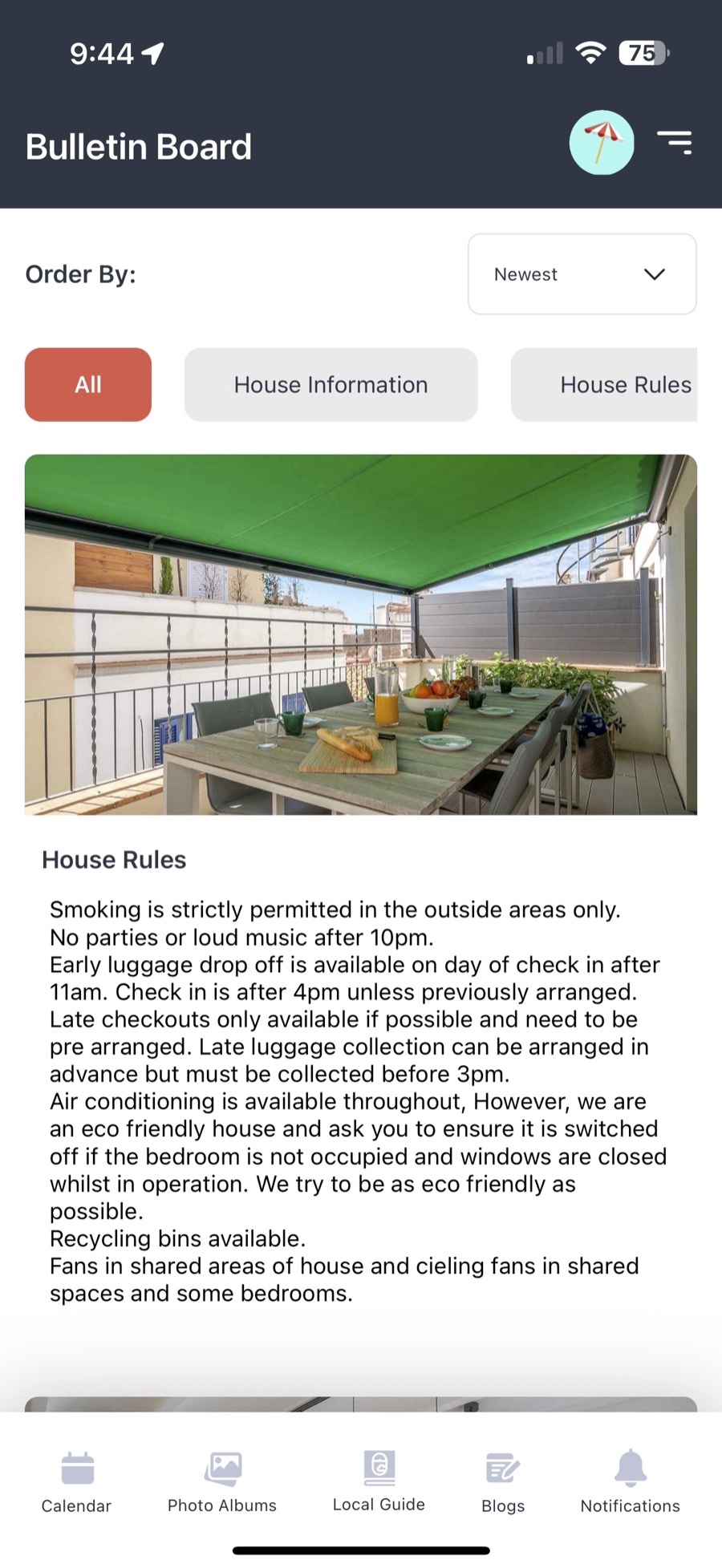
- House rules — pets, smoking outside only, quiet after ten, whose turn it is to restock the firewood.
- Appliance quirks — the dishwasher door that needs a shove, the thermostat that lies by two degrees.
- Opening and closing the house — the seasonal checklist, the water shutoff, the pool routine.
- Emergency numbers — plumber, electrician, and the neighbor who keeps an eye on the place.
Only Administrators can post to the board, which is exactly why it stays trustworthy: everything on it is the house's official answer rather than one person's opinion. Everyone else reads it.
Alarm codes, lockbox combinations and where the spare key is hidden do not belong on a website, however private it feels. Your house shares one Guest password among a lot of people. Hand those out in person or by text.
Set up categories first
A board with four posts needs no organizing. A board with thirty does, and by then it is a chore. Set up categories before you write anything.
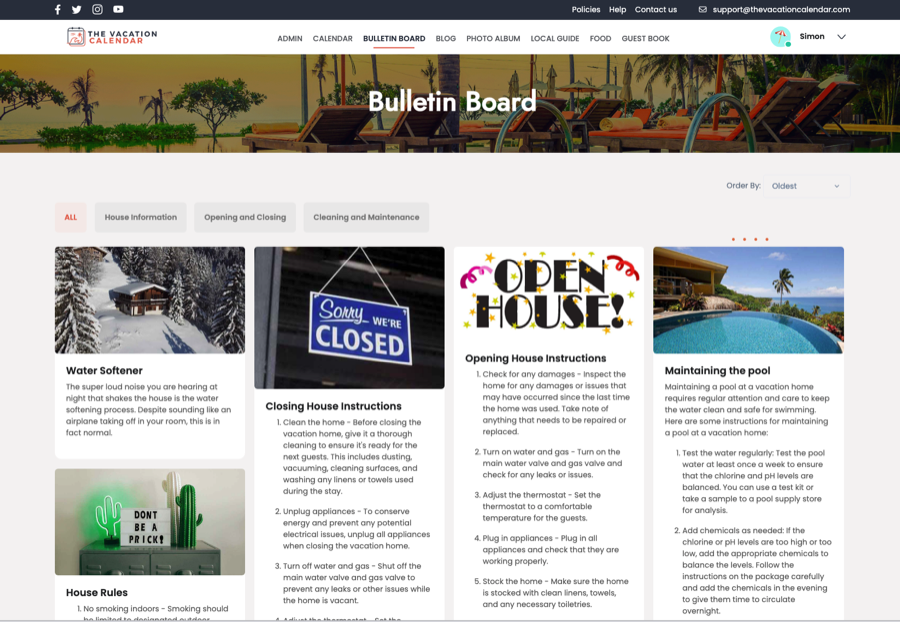
Go to Admin → Settings → Categories, set Select Type to Bulletins, and add the handful you actually need. Most houses do well with House Information, House Rules, Opening and Closing, and Cleaning and Maintenance. Categories become the filter tabs across the top of the board, so a guest who wants the trash schedule taps one tab rather than scrolling past the pool chemistry.
The same screen holds the categories for the house blog, so it is worth doing both at once. Full details are in House settings.
Adding a post
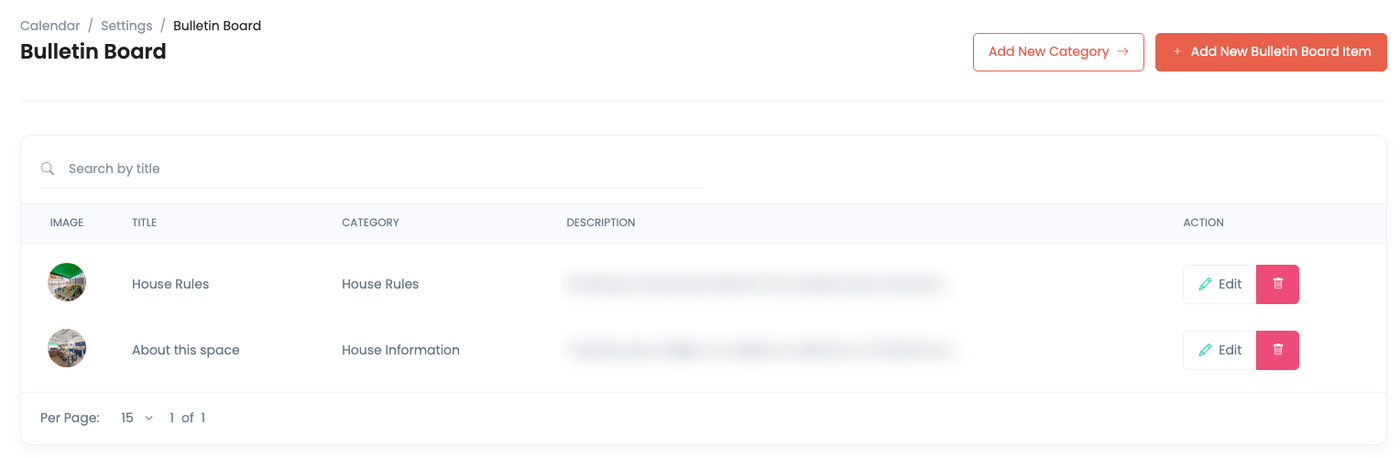
- Go to Admin → Bulletin Board.
- Press + Add New Bulletin Board Item.
- Add an image if you have a useful one. A photo of the circuit breaker panel with the switches labeled saves more phone calls than a paragraph ever will.
- Pick the category.
- Write the title. Titles are what people scan, so "Trash and recycling" beats "Important information".
- Write the detail in the rich text editor. Bold, lists and links are all there, and the ellipsis at the end of the toolbar reveals the rest of the formatting.
- Decide whether Guests should see it, then save.
Posts appear as cards on the board, newest first, with the filter tabs above them. Use numbered lists for anything with a sequence to it, such as closing up the house, and keep each post to one subject. Two short posts beat one long one that buries the answer in paragraph four.
Private posts
Some notes are for the family and not for whoever is borrowing the house in August. The cleaner's rate. The argument about the dock. The reminder that the upstairs shower is out of action until the part arrives.
When you write a post, check Hide this bulletin board item from guest. The post then shows for Administrators and Schedulers and is invisible to anyone logged in as a Guest. Everything else about it works the same way.
You can change your mind later by editing the post and clearing the checkbox, so a note that was private over the winter can go public in the spring.
Editing and deleting
Open Admin → Bulletin Board, find the post and edit it. Change the title, the detail, the image, the category or the guest setting, then save. Deleting is permanent, so if a post is merely out of date, editing it is almost always the better move: the trash schedule changes every couple of years, and the post explaining it should change with it.
The bulletin board sends no email at all. Nothing you post here lands in anyone's inbox, which is the point of it. It is a reference shelf, not an announcement. When you want the family to actually hear something, write it up on the house blog, which emails the post to everyone on the blog list.
Anything that arrives as a file rather than a paragraph, such as the insurance policy or the appliance manual, belongs in Documents instead. Restaurants and things to do belong in the local guide. Keep the board for house knowledge and it stays short enough to read.
Read the board once a year as though you had never been to the house. The instructions that no longer match the appliances are easy to spot and take five minutes to fix.
Common questions
Related topics
Still stuck?
Send us a note with your house name and a real person will answer. Short video walkthroughs are on our YouTube playlist.


